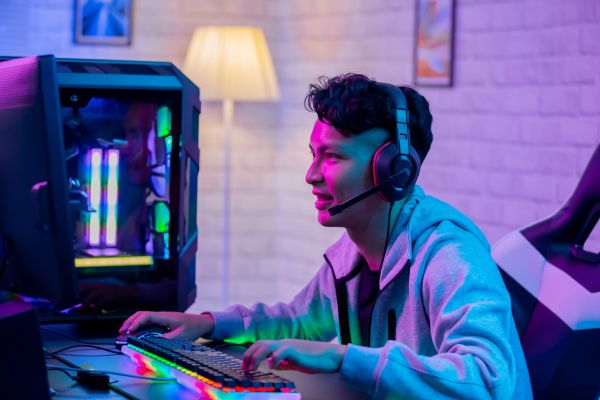
If you’ve ever watched a high-level match of Valorant, you’ve probably noticed something subtle but powerful—how effortlessly professional players control their aim, movement, and reactions. It’s tempting to think it’s all raw talent, but behind that precision lies a carefully tuned setup.
Understanding Valorant pro player settings isn’t about copying someone else’s numbers and instantly becoming better. It’s about learning how the best players optimize their environment, then adapting those principles to your own playstyle.
Let’s take a closer look at what actually matters—and what doesn’t—when it comes to pro-level settings.
Why Pro Settings Matter More Than You Think
At first glance, settings seem like a minor detail. After all, skill should matter more than numbers, right? That’s true—to a point. But settings act as the foundation for everything you do in-game.
Professional players spend countless hours refining their configurations. They aren’t randomly choosing sensitivity or crosshair styles. Every adjustment is intentional, built around consistency and control.
The real value of studying Valorant pro player settings is not in copying them blindly, but in understanding why those settings work. Most pros aim for:
- Predictability in movement and aim
- Minimal distractions on screen
- Comfortable, repeatable mechanics
These three ideas show up again and again across different players, even if their exact settings differ.
The Sensitivity Sweet Spot
Sensitivity is often the first thing players look at when exploring pro setups. It’s also the most misunderstood.
Professional Valorant players generally lean toward lower sensitivity. That might feel uncomfortable at first, especially if you’re used to quick flicks with minimal mouse movement. But lower sensitivity offers a huge advantage: precision.
With a lower sensitivity, small hand movements translate into finer adjustments on screen. That’s critical for a game like Valorant, where headshots decide fights.
Still, there’s no universal number. Some players prefer slightly higher sensitivity for faster reactions, while others go extremely low for maximum control. What matters is finding a balance where you can:
- Track targets smoothly
- Flick without over-aiming
- Maintain consistency under pressure
If you’re experimenting, start by lowering your sensitivity gradually rather than making drastic changes overnight.
Crosshair Design: Simplicity Wins
One thing becomes obvious when comparing pro crosshairs: most of them are simple.
You won’t see flashy shapes or distracting colors. Instead, pro players favor clean, minimal designs that stay visible without getting in the way. The goal is to keep your focus on the target, not the crosshair itself.
Common traits among pro crosshairs include:
- Thin lines for precision
- Bright but non-distracting colors
- No unnecessary outlines or shadows
The key idea here is clarity. Your crosshair should help you aim, not compete for attention. Many players tweak their crosshair until it “feels right,” which is more important than following any specific template.
Resolution and Display Choices
Resolution is another area where pro players often surprise newcomers. While many casual players prefer high resolution for visual quality, pros sometimes choose lower resolutions.
Why? Because lower resolutions can make enemy models appear slightly larger and easier to spot. They can also improve performance by increasing frame rates.
That said, not every pro uses the same resolution. Some stick with native resolution for sharper visuals, especially if they have powerful hardware.
What matters most is consistency. Switching resolutions frequently can throw off your aim and muscle memory. Once you find a setup that feels comfortable, it’s best to stick with it.
Graphics Settings: Performance Over Beauty
Valorant isn’t a visually demanding game, but pros still optimize their graphics settings for performance.
You’ll notice that most professional players turn down visual effects, shadows, and unnecessary details. This isn’t about making the game look worse—it’s about removing distractions and ensuring stable frame rates.
Higher FPS leads to smoother gameplay, which directly affects reaction time and aiming precision. Even small drops in performance can make a difference in high-pressure situations.
In short, pro players prioritize clarity and responsiveness over visual flair. It might not look as pretty, but it plays better.
Keybinds and Comfort
Keybinds are deeply personal, yet they follow a common philosophy among pros: everything should be easy to reach.
Abilities, weapons, and movement keys are placed where they can be accessed quickly without awkward hand movements. This reduces hesitation during intense moments.
For example, some players rebind abilities closer to their movement keys, while others adjust crouch or jump keys for better control.
The important takeaway is comfort. If your hands feel strained or your reactions feel delayed, your keybinds might be working against you.
Mouse and Equipment Influence
While this article focuses on Valorant pro player settings, it’s impossible to ignore the role of hardware.
Professional players often use lightweight gaming mice, large mousepads, and high-refresh-rate monitors. These tools complement their settings and allow for smoother, more precise movements.
However, having expensive gear isn’t a requirement. What matters more is consistency. A reliable mouse and stable setup can go a long way, even if it’s not top-tier equipment.
The Myth of Copying Pro Settings
One of the biggest mistakes players make is copying a pro’s settings exactly and expecting immediate results.
It rarely works that way.
Every player has different habits, reaction times, and physical setups. What feels perfect for one person might feel completely wrong for another.
Instead of copying, think of pro settings as a reference point. Use them to guide your own adjustments. Try similar sensitivity ranges or crosshair styles, then fine-tune based on your comfort.
Improvement comes from adaptation, not imitation.
Building Your Own Ideal Setup
Creating your own setup takes time. It’s not something you figure out in a single session.
Start by making small changes and giving yourself time to adjust. Sudden, drastic shifts can disrupt your muscle memory and make things worse before they get better.
Pay attention to how your aim feels during different scenarios. Are you overshooting targets? Struggling with tracking? Missing easy shots?
These observations will help you refine your settings more effectively than blindly following numbers.
Over time, you’ll develop a setup that feels natural—almost invisible—allowing you to focus entirely on gameplay.
Consistency Is the Real Secret
If there’s one thing all pro players have in common, it’s consistency.
They don’t constantly change their settings. Once they find what works, they stick with it and build muscle memory over thousands of hours.
Frequent changes can reset your progress and make it harder to improve. Even if a new setting feels promising, it takes time to fully adapt.
Consistency builds confidence. And in a game like Valorant, confidence often makes the difference between winning and losing a duel.
Final Thoughts
Exploring Valorant pro player settings offers valuable insight into how top players approach the game. But the real lesson isn’t about copying exact numbers—it’s about understanding the principles behind them.
Precision, clarity, comfort, and consistency are what truly define a strong setup. When your settings support your playstyle instead of fighting against it, improvement becomes much more natural.
In the end, the best settings aren’t the ones used by professionals—they’re the ones that allow you to play at your best.